 MyStory
WebApp
See what isn’t saved to your account yet
Everything you add or change is saved on your phone or in your browser first, and then sent to your account - by itself, as soon as MyStory can reach it. The sync status at the top shows when something is still on its way.
- Tap the sync status at the top (a cloud, with how many changes wait).
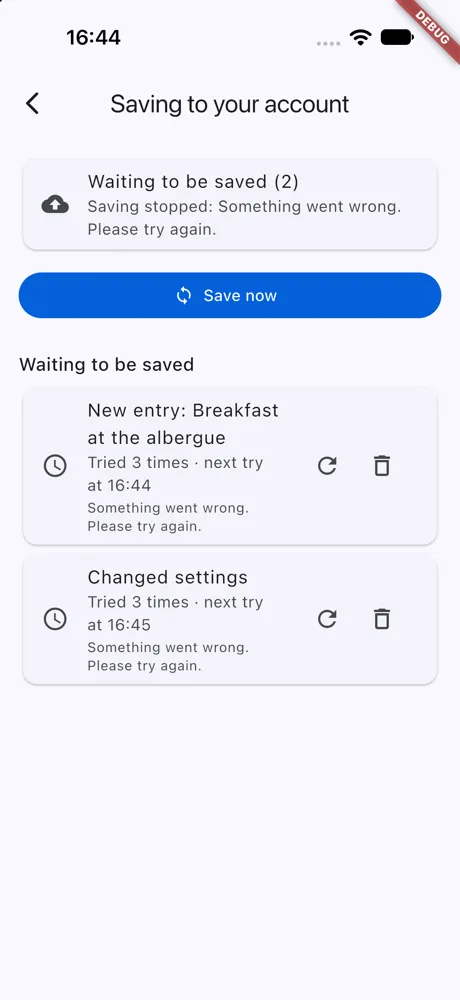
- Saving to your account lists every change still on its way, and where it stands:
- Saving now - it is being sent; a photo or video shows how far it has gone (“Saving now - 3.2 MB of 15 MB”).
- Tried 2 times · next try at 14:32 - the server could not take it yet. It is tried again by itself, with longer pauses each time; the line under it says why.
- Waiting its turn - it goes after the change before it in the same story.
- Tap Save now to send everything at once. A photo or video whose connection was lost is sent again.
On the web
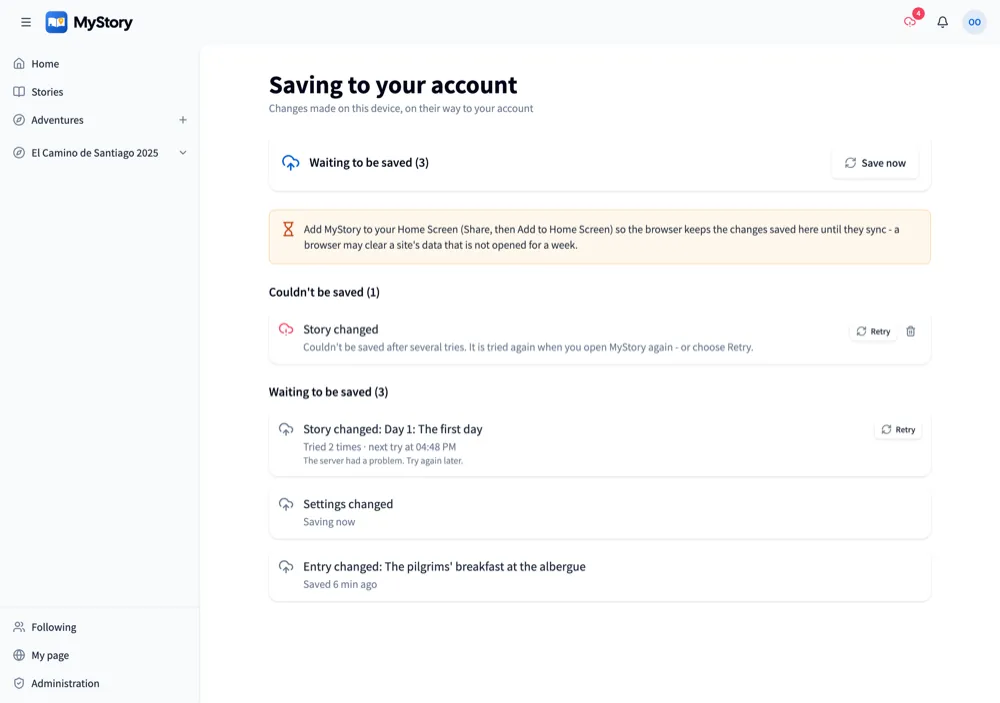
The list is the same. A change waiting its turn says when it was saved in the browser (“Saved 6 min ago”), and Retry sends a change waiting for its next try at once.
Good to know
- Retry on a change sends it now; the trash can discards it - what it made is then only gone from your phone or browser, never from your account.
- A change the server could not take after several tries shows under Couldn’t be saved: “Couldn’t be saved after several tries”. It is tried again when you open MyStory again, with Save now, or with Retry.
- Offline nothing is lost: the changes wait, and go when you are online again.
- In the app, a photo or video goes on uploading while you use other apps or lock your phone, and its entry is made once it is there. Closing the app with a swipe stops the upload; it goes on the next time you open the app.