 MyStory
WebApp
Add photos, words and recordings
Everything in a story is an entry: a photo, a video, a text or a recording. The story’s owner, its editors and its contributors can add entries.
Add an entry
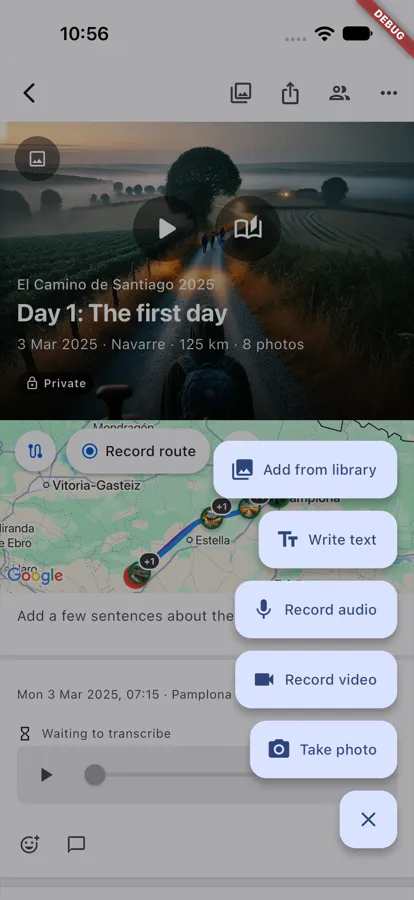
- Open the story and choose the round + button (Add an entry).
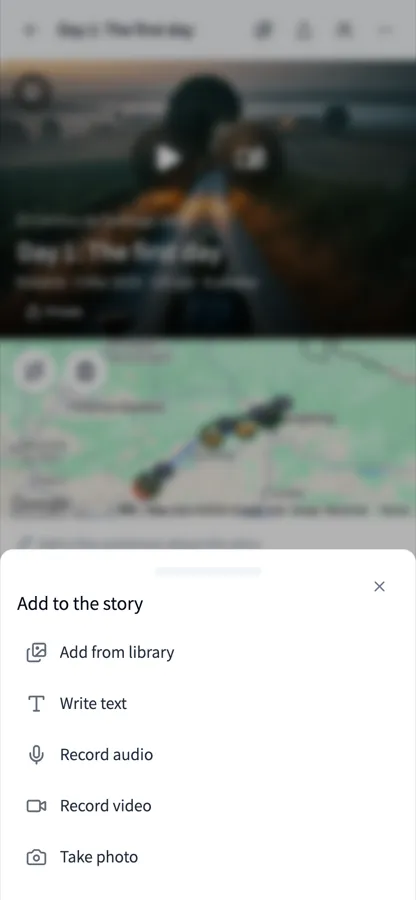
- Choose what to add:
- Add from library - photos and videos you already have
- Write text
- Record audio - what you say is written out for you
- Record video
- Take photo
From Home it is quicker: Camera, Note and Voice under the story you continue add to it straight away.
On a computer without a touch screen, the web leaves out Take photo and Record video: add photos and videos from your library instead.
Words, captions and what was said
Every entry can have words: a text’s text, a photo’s or video’s caption, a recording’s words.
- Tap the words to change them; Save keeps them.
- A photo, video or recording without words shows Add a caption or Add words - tap it to write some.
- You can write bold, italic, lists, quotes and links.
Where and when
An entry with a location shows where it was and the weather there, for example “11:30 · Reine · 14°”. Tap the time or the place in the entry’s header to change them.
Good to know
- In the app, entries you add without a connection are saved on your phone and sent when you are online again.
- Contributors can change and delete their own entries; the owner and editors any entry.
- A deleted entry can be restored: the story’s History, its Deleted tab.